Repeat experiments feel costly
Broken parts, wiring errors, and setup time make it harder to freely retry an idea.
AI & MR Robotics Learning Platform
RoboLab is a robotics learning platform for students encountering robotics and programming for the first time.
Students build and program an automatic watering robot in mixed reality, where normally invisible sensor data and program logic become visible alongside the robot itself. Their experiments are saved to a companion web app for reflection, then the same rule can be sent to a modular ESP32 robot kit and tested with a real moisture sensor and water pump.
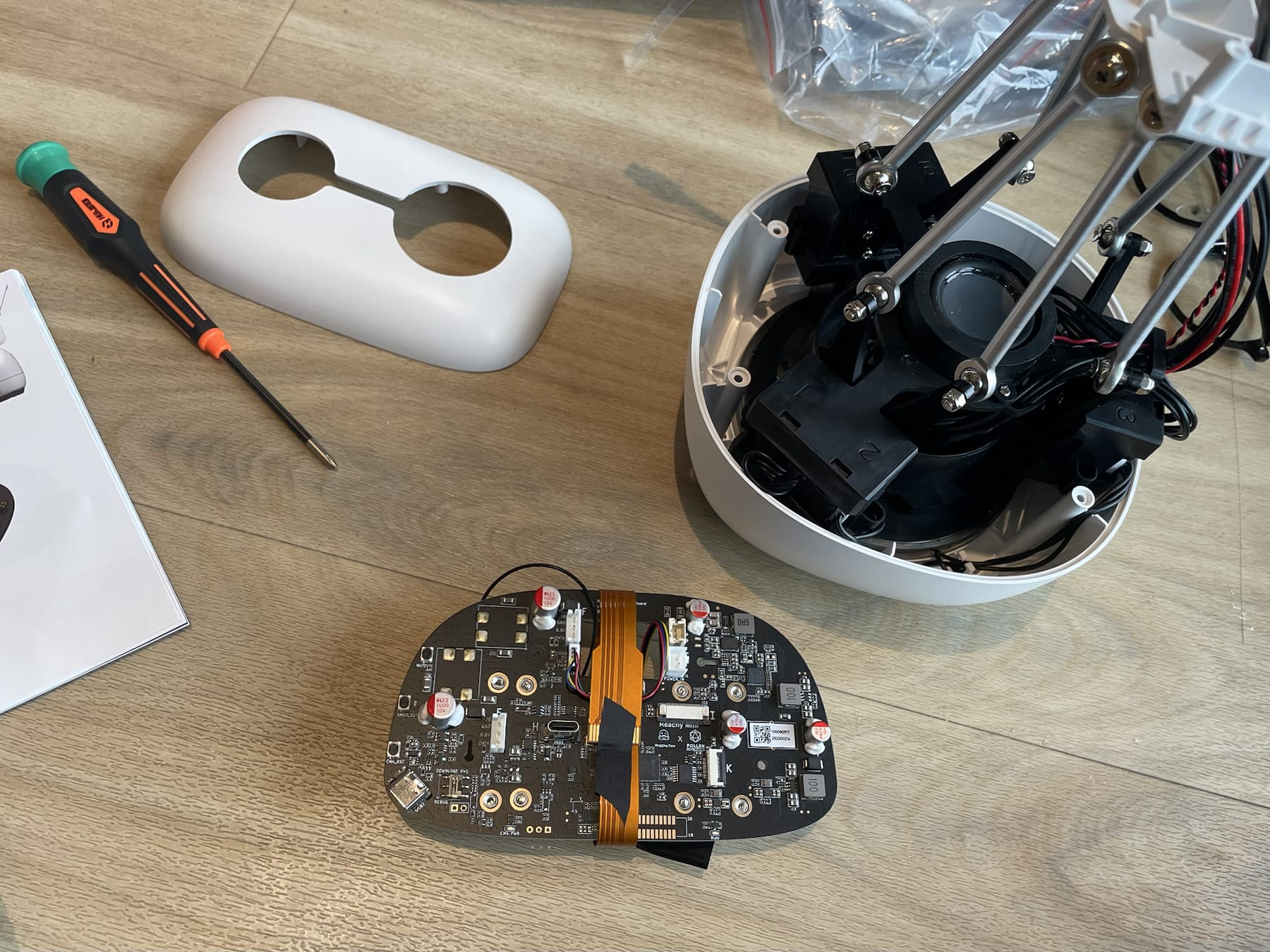
I recently assembled my own Reachy Mini. Even with the instructions and a YouTube tutorial beside me, I kept wondering whether I had attached each part correctly and whether one small mistake would mean taking everything apart again. I could ask an AI assistant for help, but that meant stopping, taking a photo, explaining what I had already done, and giving it enough context to understand where I was stuck.
Q. How could we make that reasoning easier to see, while still leaving room for students to figure things out for themselves?
What stayed with me was not just the difficulty of assembling the robot, but the uncertainty around it. So much of the process was happening right in front of me, yet it was still hard to tell what the system was seeing, what it was doing, and why. That same gap exists when learning robotics: a sensor reads a value, a condition checks it, and a pump turns on. The result is visible, but the reasoning in between often is not.
Interviews with robotics and after-school educators showed that the same disconnect affected both sides of the classroom. Students could see a robot fail without knowing whether the cause was their rule, the assembly, or the hardware. Teachers could see the final result, but not every learner's reasoning and revisions in real time.
Broken parts, wiring errors, and setup time make it harder to freely retry an idea.
The robot moves in one place while sensor values and code live on another screen.
A failed run does not reveal whether the issue came from logic, assembly, or a connection.
Teachers cannot watch every student, so the revisions that show understanding are easily lost.
Design response: create a safe MR space for repeatable experiments, reveal the robot's execution step by step, and preserve each attempt as learning evidence.
We wanted students to learn robotics through something that could exist outside the lesson, rather than building a robot only to demonstrate a programming concept. That led us to a small smart farm. Students build an automatic watering robot, monitor soil moisture, and eventually grow and harvest crops such as carrots.
The farm gives each programming decision a visible consequence. If the soil becomes too dry, the plant needs water. If the watering rule works, the crop grows. It gave us a simple way to connect sensors, conditions, and actions to a problem students could immediately understand, while also giving them something to work towards beyond simply getting the code right.
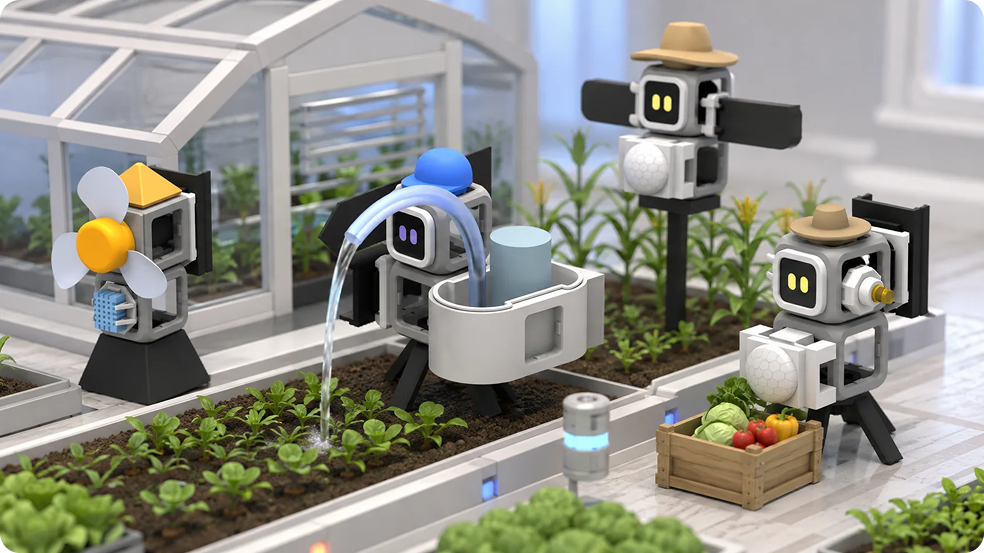
Once we had the smart farm, the next question was how MR could make the experience easier to understand. A physical robot can show the final result, but much of what happens between sensing and acting is invisible.
In RoboLab, the moisture reading can appear beside the sensor itself. Students can watch the relevant condition activate, see whether it evaluates to true or false, and then see the pump respond in the same space.
This was where MR felt most useful. It could connect information that normally lives on a screen directly to the object and behaviour it described.
But not every part of the learning experience benefited from being spatial. Looking back through several experiments, comparing different rules, or showing progress to a teacher or parent was much easier on the web. And eventually, we still wanted students to experience real hardware, where sensors are imperfect, components have to be assembled correctly, and the physical environment affects the result.
That shaped RoboLab into three connected parts:
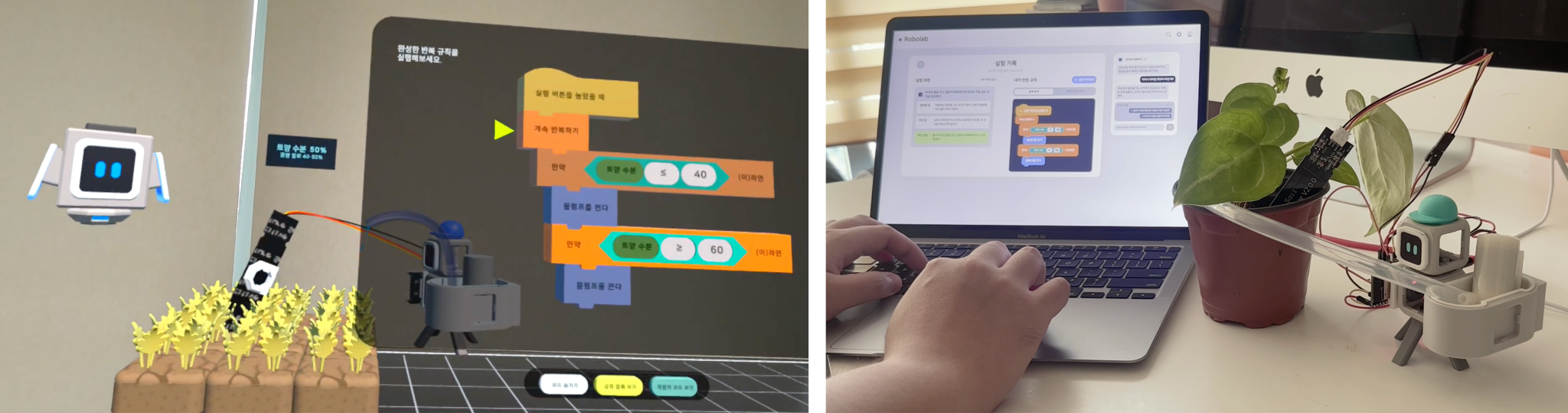
Build, understand, and test the robot while sensor data and program logic remain visible.
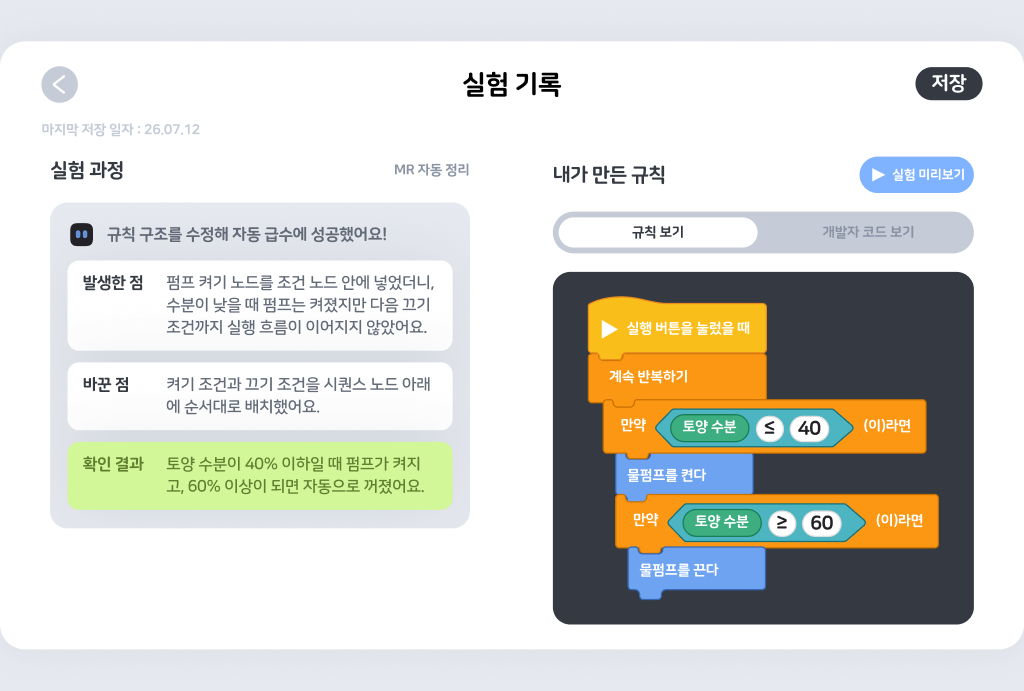
Review attempts, compare changes, and connect visual programming blocks to generated code.
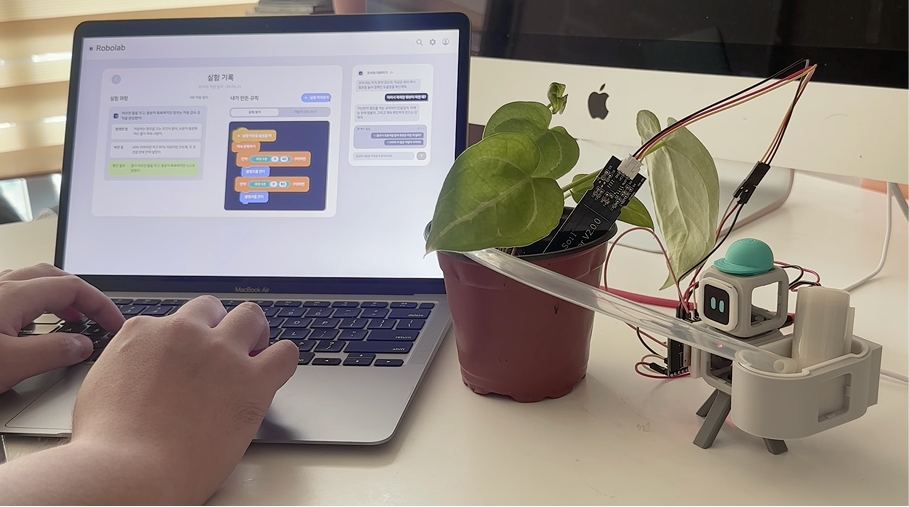
Apply the same understanding to real components, sensors, and environmental conditions.
Rather than keeping everything inside the headset, we tried to use each medium for the part of the learning experience it handled best.
RoboLab is designed for upper-primary and middle-school students who may be encountering sensors, conditions, loops, and debugging for the first time.
Starting with an empty sandbox felt like too much freedom too early. If a student does not yet know what a moisture sensor does, it is difficult to know what kind of behaviour to build with one. So the experience begins with small, guided experiments.
Students first assemble the robot and test its components separately. They can see how the moisture value changes and manually test the pump before they are asked to connect the two through programming. This gives each new concept a physical reference before it becomes part of a larger rule.
For the programming interface, I looked at Scratch and other beginner-friendly visual coding tools. Block coding felt like the right starting point because it removes syntax from the first interaction with programming and lets students focus on how things connect.
What are we sensing? What are we comparing it with? When should the robot act? When should it stop?
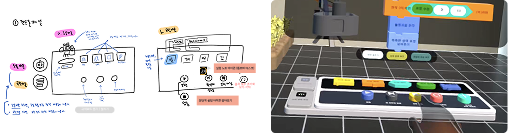
The Rule Board only shows blocks that the current robot can actually use, so students are not presented with every possible concept at once. As students become more comfortable with the logic, they can switch to a developer view and see how the same rule translates into C++. Since the physical robot is planned around an ESP32-based kit, this creates a bridge between the visual rules they build in MR and the kind of code that could eventually run on the real robot. The code is introduced as another way of expressing logic they already understand, rather than something they have to learn first.
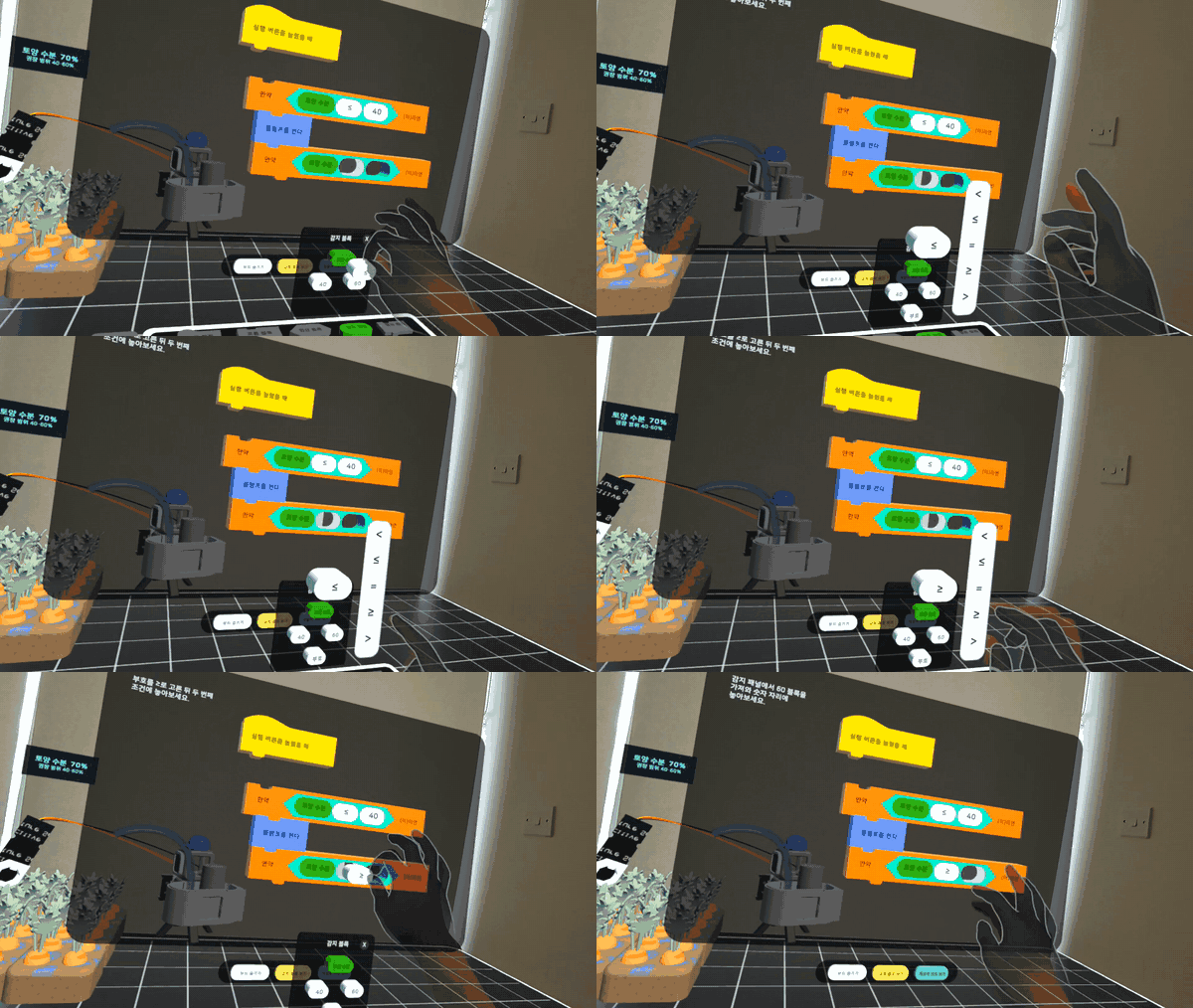
I also wanted the result of an experiment to do some of the teaching. One of the first watering rules students build turns the pump on when the soil becomes dry. At first, it seems to work. The pump starts and the moisture level begins to rise.
But it keeps going. RoboLab does not immediately point out what is missing. Students can watch the rule continue to run, compare what they expected with what actually happened, and return to the Rule Board to work out what needs to change.
An unexpected result becomes part of the experiment rather than something the system immediately corrects. This was important to me because debugging is not only about finding the right answer. It is also about learning to observe a system, form a hypothesis, make a change, and test it again.
After completing the smart-farm mission, students can move into a more open inquiry mode. They describe a new goal for the robot, and Cobi breaks that goal into questions about the sensing condition and the action the robot should take. The learner still builds and tests the rule; AI helps turn an open-ended idea into a sequence they can reason through.
Cobi came from the friction I felt while assembling Reachy Mini. An AI assistant might know the answer, but first I had to stop what I was doing and explain everything it could not see. Because Cobi lives inside RoboLab, it can receive context directly from the experience, such as the current mission, assembly progress, the rule a student has built, and what happened in the latest experiment. This means students can ask for help without having to reconstruct the whole situation first.
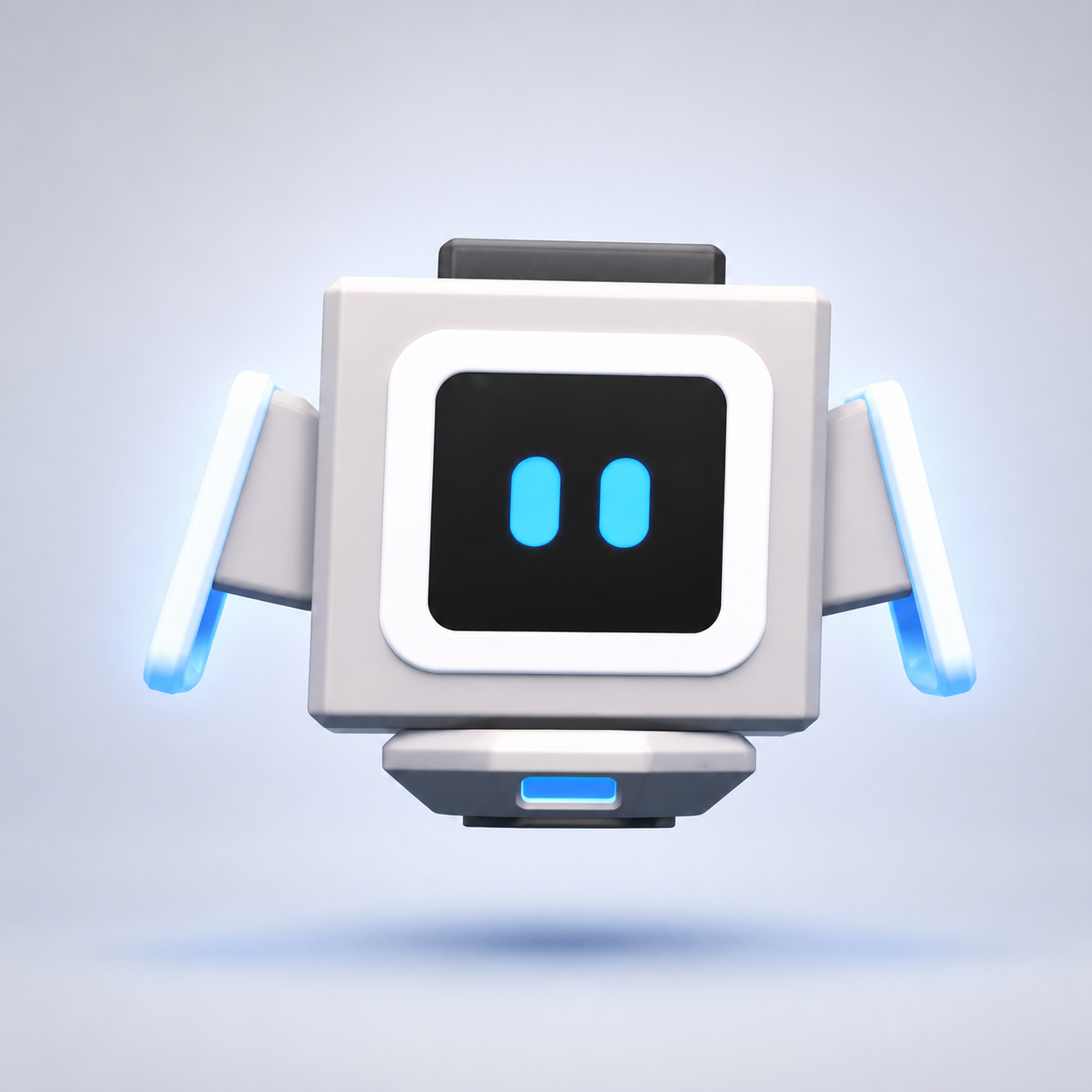
Because RoboLab is designed for younger students, I wanted to be careful about how much of the learning process we handed over to AI. Cobi is not there to generate the correct rule for them. Its role is closer to a learning partner that helps students notice something they may have missed and think through the next step themselves. When a student gets stuck, Cobi uses a Socratic-style progression rather than jumping straight to the answer:
If the pump keeps running, Cobi might first ask the student to watch how the moisture value changes. If they are still unsure, it can ask them to compare that value with their current condition. More direct hints and spatial guidance only appear when more help is needed, or when the student explicitly asks to be shown. We also avoided treating experiments as simply right or wrong. An unexpected result becomes something to investigate and use in the next attempt.
Knowing what to ask can be difficult when the subject itself is unfamiliar. Students can talk to Cobi at any time using the microphone on the back of their hand. At moments where a question could help move the learning forward, RoboLab can also suggest a small number of contextual questions. Rather than expecting students to know what to ask, the interface offers a few contextual question prompts as a starting point, while still letting them speak to Cobi freely in their own words.
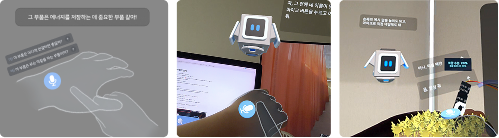
Not every line Cobi speaks needs to be generated in real time. Core instructions, story moments, and important learning prompts use pre-written voice lines so that the wording and learning flow stay consistent. For open-ended questions, OpenAI handles speech recognition and generates a response from selected learning context, while ElevenLabs gives Cobi a consistent voice. This hybrid approach gave us more control over important parts of the experience while still allowing Cobi to respond naturally when a student asks something we could not predict in advance.
We also limited the AI to the context needed for the current activity. Listening only begins when the learner activates the microphone, raw conversation is not kept as a long-term learning record, service credentials remain on the server, and each student's structured learning data is access-controlled.
For me, designing Cobi became less about how much AI we could add and more about where AI was genuinely useful, what context it should receive, how much help it should give, and when it should stay out of the way.
Once we decided what should happen in MR, the next question was how to keep the space understandable. I did not want RoboLab to become a room full of floating panels. Instead, I tried to place each interface where students would naturally expect to find it. Tools that should always be available, such as talking to Cobi, stay with the student on the back of their hand. The Rule Board and experiment controls live on the desk. Information about a specific robot stays attached to that robot. The same idea applies while the robot is running. A moisture reading appears beside the sensor. The active block is highlighted as the rule executes. Students can follow the condition being checked and then see the pump respond in the same space. This was the part of MR that felt most useful to me. Instead of asking students to connect code on one screen with a robot somewhere else, the logic becomes part of the robot's environment.
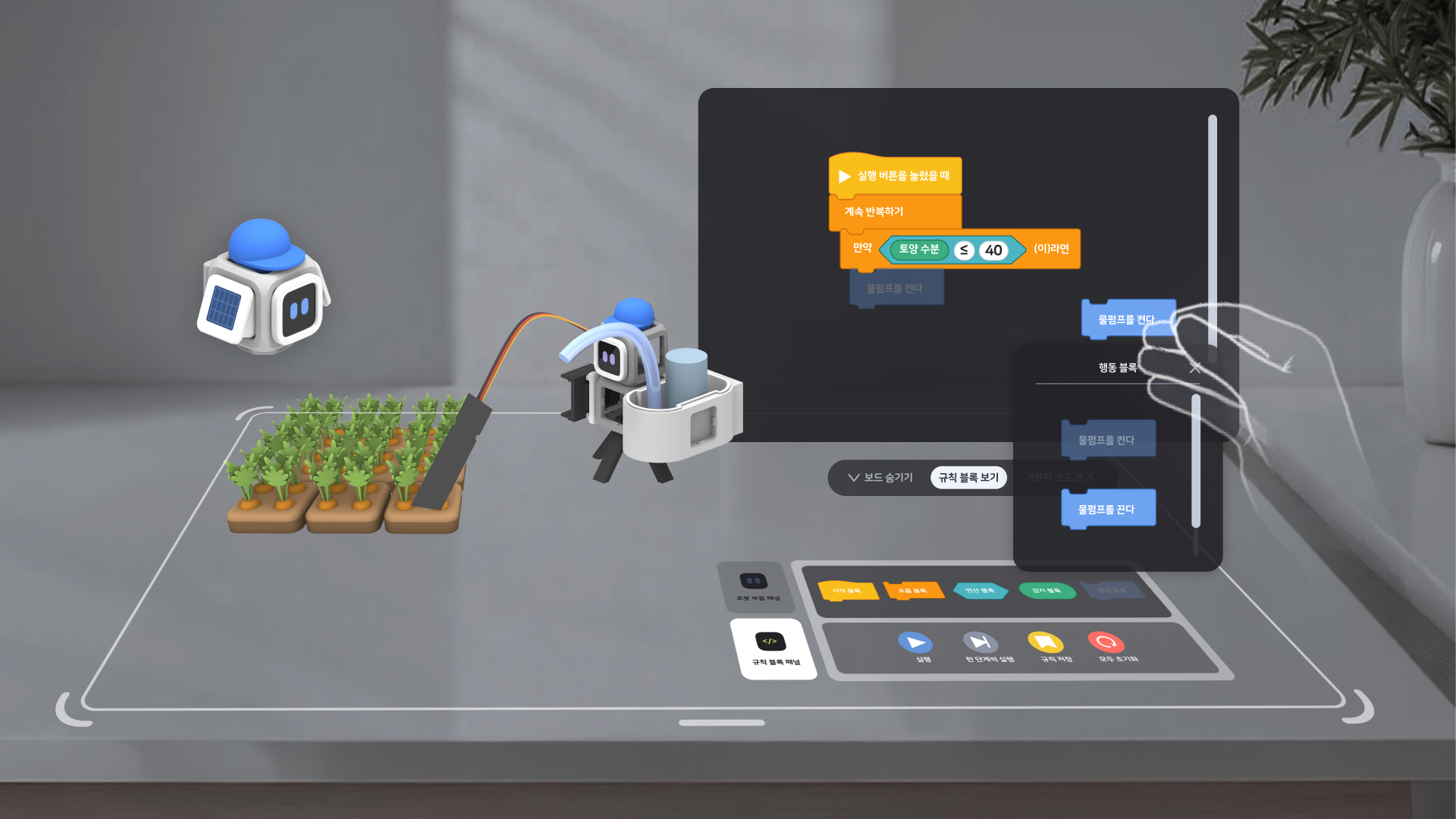
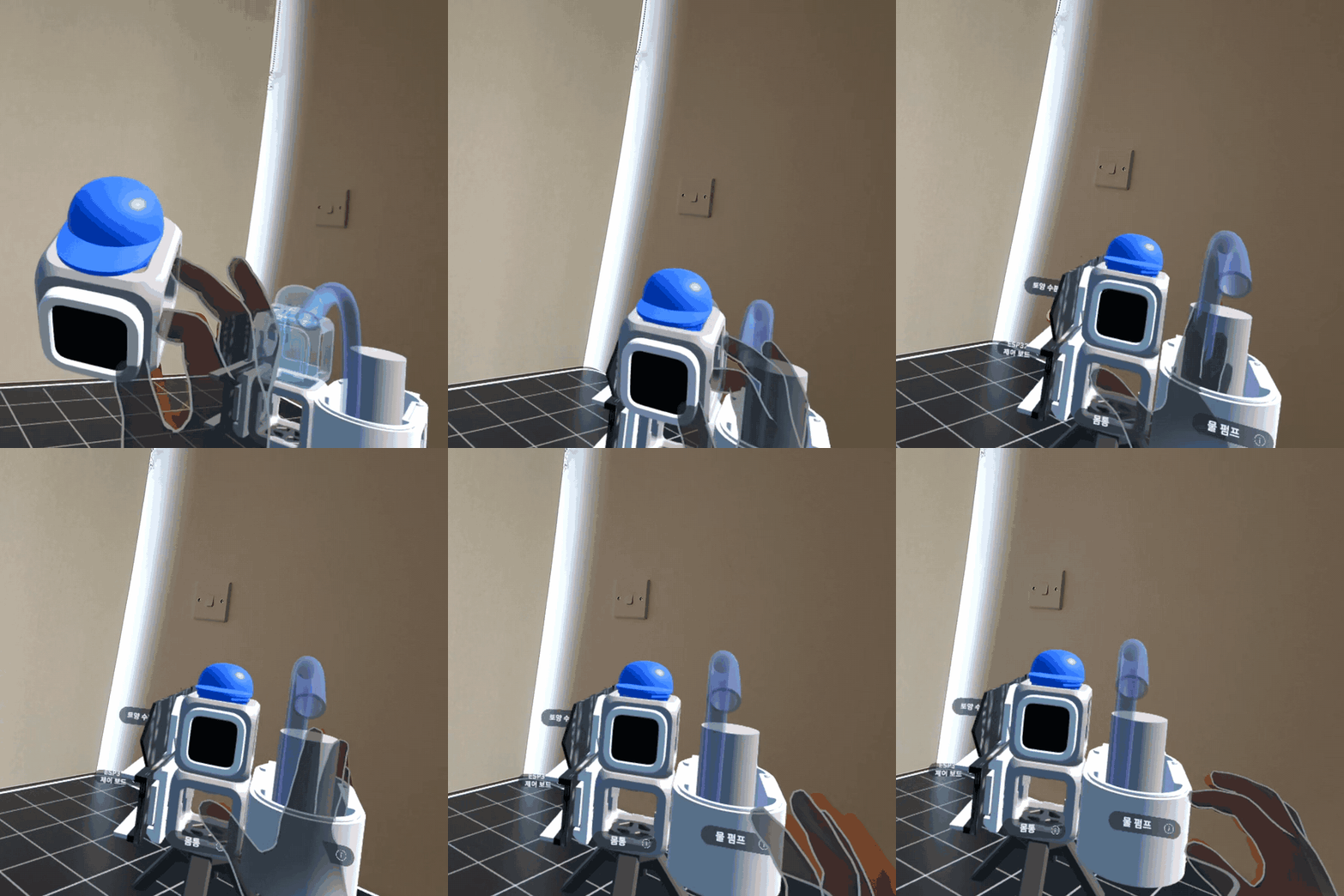
Assembly was also designed to stay lightweight. Students pick up components using hand tracking, and the possible attachment point appears only when it becomes relevant. We avoided adding instructions after every interaction because the spatial feedback itself could explain what to do. Once the robot is assembled, students can test sensors and actuators independently before moving into programming. That sequence helped us keep the experience physical first, then gradually introduce the more abstract parts of robotics.
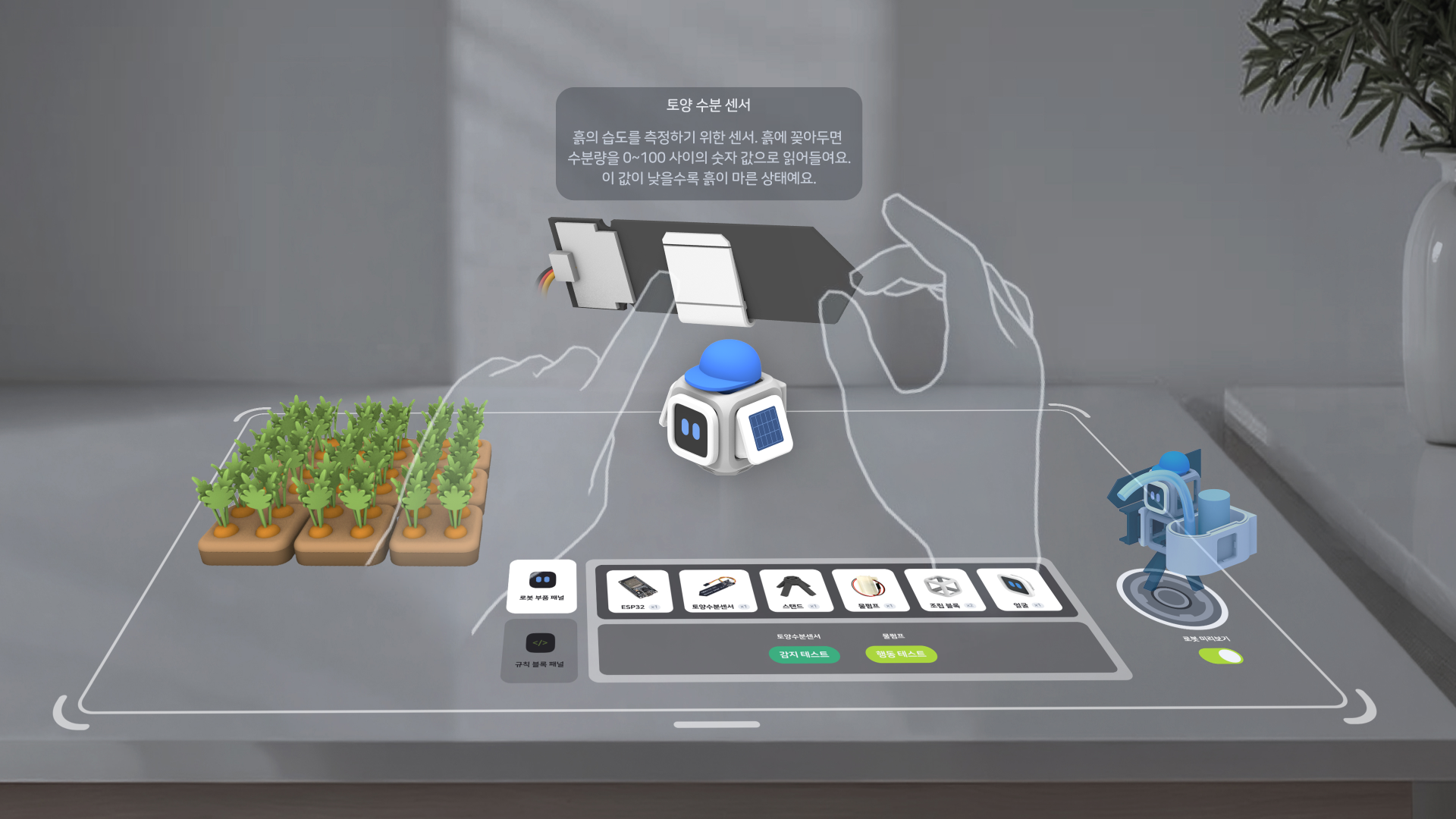
MR worked well for building and experimenting, but it was not the place where I wanted students to look through a long history of previous attempts.
So each experiment is saved to a companion web app. Students can return to the robots they built, open earlier experiments, compare different versions of a rule, and see the visual blocks alongside the generated code. Instead of keeping only the final successful attempt, RoboLab keeps the process:
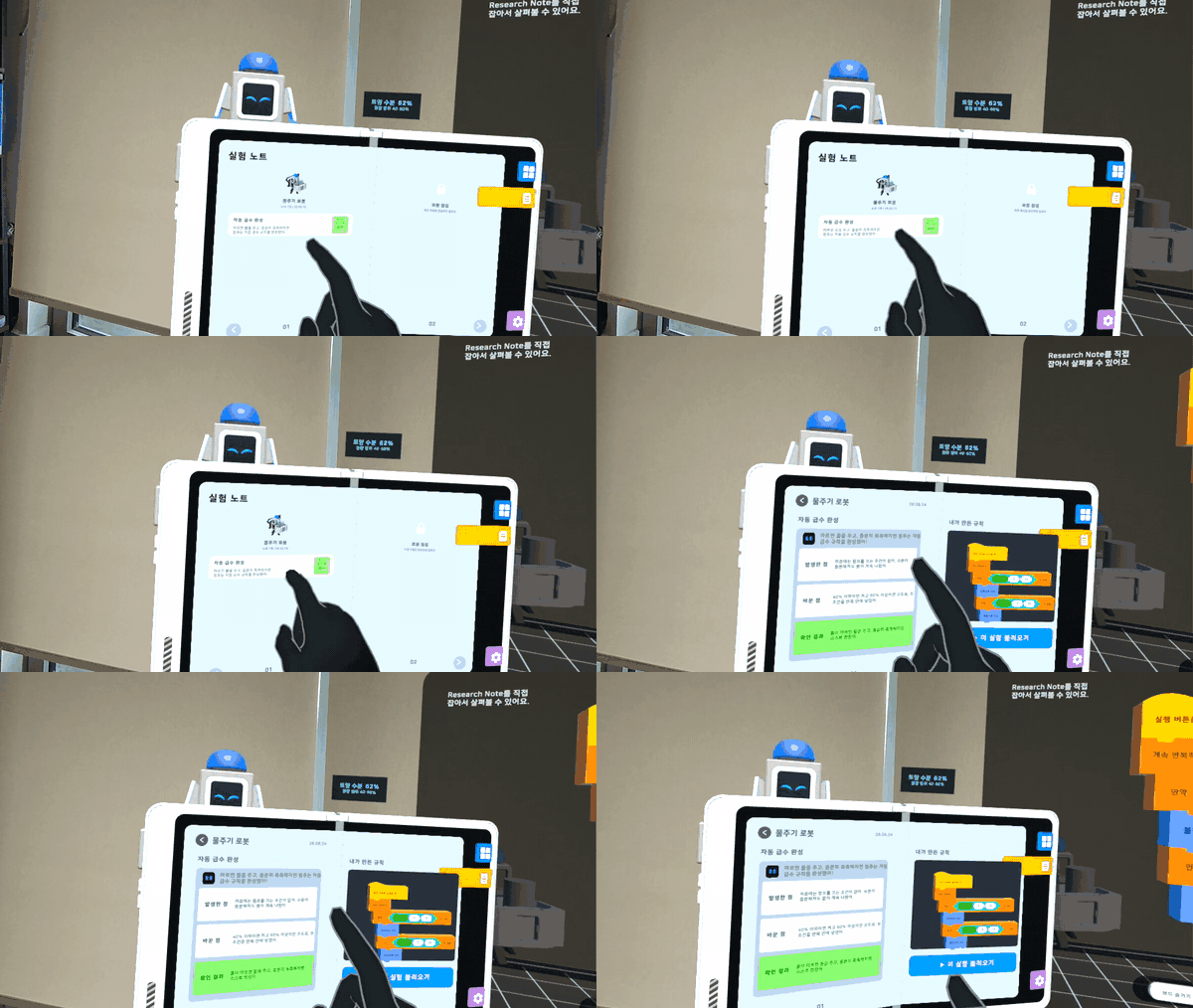
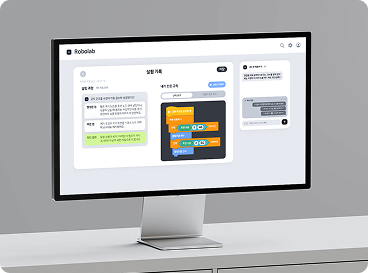
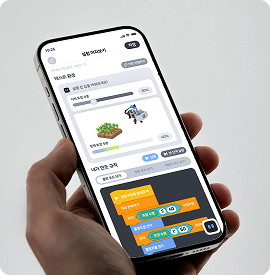
That history is useful for the student, but the web also makes the experience easier to share. A teacher or parent can look through the same experiments without needing access to the headset.
Quest and Web are connected through a six-digit pairing code, so an experiment created in MR can continue outside the headset without creating a separate workflow. AI turns the recorded experiment data into a one-line summary and three concrete prompts: what happened, what changed, and what the new result was. The original rule and execution data remain available beside that reflection, so AI explains the evidence rather than inventing a verdict.
We implemented the complete handoff from RoboLab's digital learning experience to a physical ESP32 watering robot. A rule built and tested in MR can be reviewed as generated C++, sent from the companion web through Bluetooth Low Energy, and run using real soil-moisture data to control the water pump.
The physical kit returns sensor readings and execution results to the web, so students can compare what happened in the MR experiment with how the same logic behaves in the real environment.
RoboLab needed the Quest experience, companion web, AI, and physical kit to work from the same experiment history.
The Unity application handles the parts that need to happen in real time: robot assembly, sensor simulation, the Rule Board, and rule execution. Records are first kept on the device and synchronize through Supabase when a network is available. The React companion web reconstructs the student's experiment history and can pass a completed rule to the physical robot through Web Bluetooth.
AI sits alongside this system rather than controlling it. Cobi receives selected context from the current experience for real-time guidance, while the web uses recorded experiment data to generate reflections. The rule itself and its success state come from deterministic execution data.
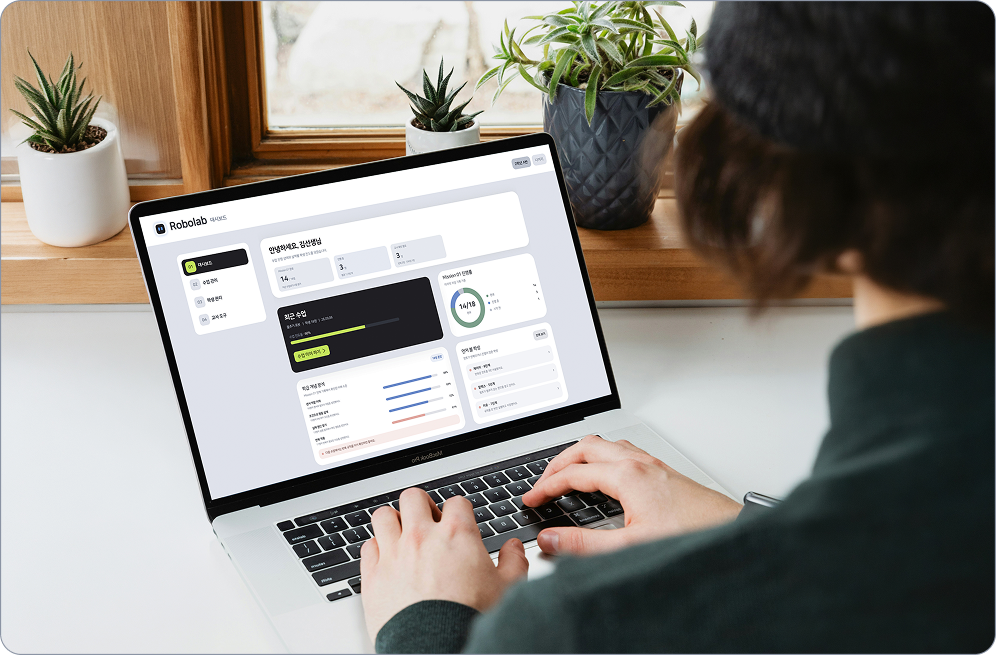
With the MR app, companion web, and physical ESP32 kit working together, the next area of development is helping educators use the resulting learning data. We designed an educator-dashboard prototype, although it is not yet connected to live records.
The educator view brings progress, experiment activity, and patterns of difficulty into one place, creating a foundation for more focused classroom feedback once it is connected to live learning data.
Excellence Award (D’ARIUM Award), 2026 AI & XR Service Developer Competition